

Want to practice trading without burning cash?
TradingView’s paper trading plugs you into real charts and order tools so you can test setups risk-free.
Thesis: use it to rehearse execution, build muscle memory, and validate strategies, but treat the simulator like a real account and match balance, size, and costs, because perfect fills and low stress hide execution and emotional risks.
Use the paper mode to backtest alerts and practice order management, then move small live when your process is repeatable.
How to Access and Enable Paper Trading
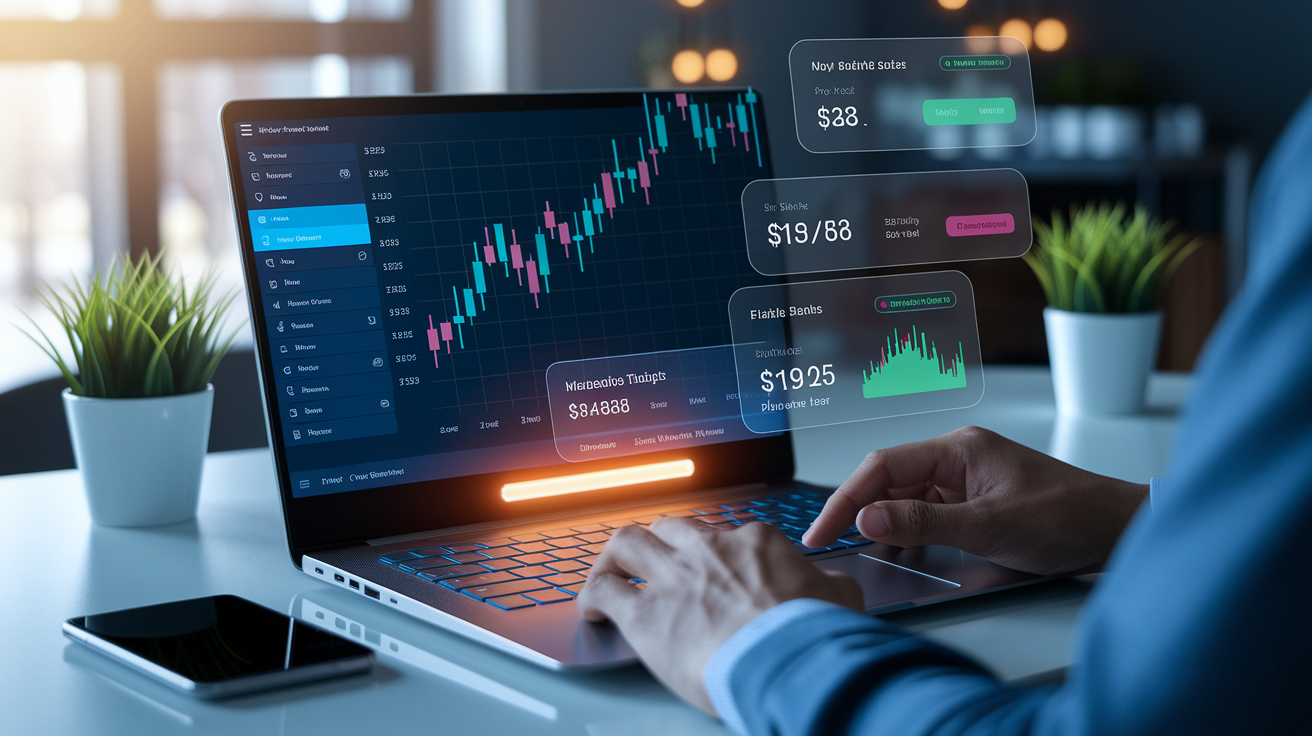
TradingView’s paper trading feature sits inside the Trading Panel at the bottom of your screen. Click once and you’re in. The panel opens with a full broker and simulator list. Select “Paper Trading” and you’re live in a simulated environment running on the same real-time data you’d use with actual capital.
Steps to enable:
- Log in to your TradingView account (free or paid).
- Open any chart by searching for a symbol in the top search bar.
- Click the Trading Panel tab at the bottom.
- Find the broker selection dropdown inside the panel.
- Select Paper Trading from the available connections.
- Confirm the connection. No extra login needed.
- Start placing trades using the order entry form on the right.
Once you’re connected, the panel shows your virtual balance, open positions, active orders, and running P/L. You can place trades directly from the chart by clicking price levels or use the order form. The platform tracks every simulated fill like a real broker interface. Switching between paper and live (if you’ve connected an actual broker) takes one click in the same dropdown. Practice a setup in simulation, then execute it live when you’re ready. Paper trading works on every plan level, including the free Basic tier.
Setting Up Your Paper Trading Account
After you enable paper trading, configure the account to match what you’ll actually trade with. The settings menu inside the Trading Panel gives you control over starting balance, default order size, and display preferences. Treating the simulator like a real account builds better habits. If you’re planning to trade a $10,000 live account, set your paper balance to $10,000. Not the default $100,000.
Click the gear icon in the Trading Panel to access settings. You’ll see options to reset your account and customize how orders appear. The goal is realism. Testing futures? Use the contract count you’d actually trade. Testing forex? Match your intended lot size. Mismatched sizing teaches the wrong lessons and makes your simulated performance meaningless.
Customizable settings include:
- Starting balance – reset to any amount that mirrors your real capital.
- Base currency – choose USD, EUR, or another currency for P/L display.
- Default order size – set a fixed quantity or percentage per trade.
- Leverage settings – configure margin multipliers if testing leveraged instruments.
- Commission and slippage – manually enter realistic cost assumptions.
- Order panel display – toggle between ticks, dollars, or percentage risk views.
Key Features of TradingView Paper Trading

TradingView’s paper trading system runs on the same chart engine and data feeds as live trading. You get access to every indicator, drawing tool, and alert. Orders execute based on simulated fills at the bid/ask levels shown on the chart. Your limit order sits on the chart and price touches it? The platform fills you. Price doesn’t reach? Your order waits. Simple logic, but it works for testing setups.
The Trading Panel shows everything. Open positions, working orders, filled trades, real-time P/L. You can modify orders before they fill. Change the price, adjust quantity, switch order type. Once a trade’s live, you manage it the same way you would at a real broker. Move stops, add to positions, scale out at targets. This repetition builds muscle memory.
Paper trading also works with alerts and Pine Script strategies. You can code a strategy in Pine Script, backtest it using the Strategy Tester, then manually execute the signals in paper mode to validate the logic. It’s a full testing pipeline. Backtest to confirm edge, paper trade to confirm execution, live trade to confirm discipline.
Available features:
- Full charting suite – 100+ indicators, custom scripts, multiple timeframes.
- Order types – market, limit, stop, stop-limit, and bracket orders.
- Alert system – set price or indicator alerts to trigger trade ideas.
- Trade history – review past fills, timestamps, and executed prices.
- Performance metrics – track profit factor, win rate, max drawdown.
- Watchlists and scanners – monitor multiple symbols and test across asset classes.
- Real-time data – forex, crypto, stocks, futures, indices (subject to data plan).
- Mobile sync – access your paper account on iOS and Android apps.
Differences Between Paper Trading and Live Trading

Paper trading removes the two hardest parts of real trading. Fear and money. You can take a setup with zero hesitation because there’s no downside. That freedom’s useful for learning order flow and chart reading, but it hides the emotional load that breaks most traders when real capital’s on the line. A losing streak in simulation feels like a data point. A losing streak with your savings feels like failure.
Execution’s also cleaner in paper mode. Your limit order at resistance gets filled every time price touches it. In live trading, the order might sit unfilled if there’s not enough liquidity on your side of the book. Or you might get a partial fill and watch price run without you. Fast markets introduce slippage. Your stop-loss at $50.00 might fill at $50.15 in a volatile move. None of that shows up in a simulator unless you manually account for it.
| Paper Trading | Live Trading |
|---|---|
| Zero slippage on fills | Slippage common in fast markets |
| Instant liquidity at chart price | Orders may sit unfilled or partial-fill |
| No emotional pressure | Fear, greed, and hesitation are constant |
| Simulated execution speed | Order routing and broker latency apply |
| No capital at risk | Real losses impact account and psychology |
| Margin and funding costs ignored | Overnight fees, margin calls, and funding rates are real |
Limitations of TradingView Paper Trading
TradingView’s paper trading engine doesn’t interact with a real order book. It fills you based on chart data, not actual market depth. Place a large simulated order in a thinly traded stock and the platform assumes full execution at the displayed price. In reality, that order might move the market against you or only partially fill. This matters most for traders planning to use size or trade illiquid instruments.
The simulator also skips complexities like broker-specific execution rules, after-hours liquidity gaps, and margin call mechanics. Testing a strategy that holds positions overnight? You won’t see realistic funding costs or the risk of getting stopped out by a margin violation. Some markets on TradingView show delayed data unless you subscribe to real-time feeds, which means your paper trades may not reflect the actual price action happening live.
Key limitations to know:
- No real slippage – fills happen at chart price, even in fast markets.
- No order book interaction – large orders don’t impact simulated fills.
- Delayed data on some instruments – requires premium data plan for real-time feeds.
- No overnight margin modeling – funding costs and margin calls aren’t simulated.
- Simplified fill logic – partial fills occur only when the platform estimates low volume, not based on actual depth.
How to Reset Funds in TradingView Paper Trading
Resetting your paper trading balance is a one-click process inside the Trading Panel settings. You’ll use this when you want to start fresh after testing a strategy, practicing a new approach, or clearing out a string of bad trades. It’s also the fastest way to recalibrate your account size to match your real trading capital.
Steps to reset:
- Open the Trading Panel at the bottom of any chart.
- Click the gear icon (settings) inside the panel.
- Select Reset Paper Trading Account from the menu.
- Enter your desired starting balance.
- Confirm the reset. Your account will clear all positions and history.
- Begin trading again with the new balance.
Resetting’s useful when you’ve blown up the account testing aggressive sizing or when you want to isolate the performance of a single strategy without old data cluttering your stats. Some traders reset weekly to track performance in clean intervals. Others reset when transitioning from one trading style to another. Switching from scalping to swing setups, for example. The key is to treat each reset as a new test cycle, not an excuse to ignore risk management. If you keep resetting after losses without understanding what went wrong, you’re training bad habits that’ll carry over to live trading.
Best Practices for Effective Paper Trading
Paper trading works when you treat it like real money. That means following the same risk rules, position sizing, and trade plan you’d use live. You wouldn’t risk 10% of your account on one trade with real capital? Don’t do it in simulation. The goal isn’t to rack up big wins in a fake account. It’s to build repeatable habits and validate your process under realistic conditions.
Most traders waste paper trading by ignoring costs and trading with no plan. They take random setups, size positions based on gut feel, and skip the post-trade review. That’s practice, but it’s not useful practice. Real improvement comes from tracking every trade, noting what worked and what didn’t, and adjusting based on data. Keep a journal. Write down your thesis before you enter, your exit plan, and what actually happened. Can’t explain why you took a trade? You shouldn’t have taken it.
The other trap is staying in simulation too long. Paper trading’s a tool, not a destination. Once your strategy shows consistent results over dozens of trades and you understand your edge, it’s time to move to live trading with small size. Real money changes everything. The sooner you expose yourself to the emotional side, the sooner you start learning the lessons that matter.
Habits that speed up improvement:
- Match your real account size – planning to trade $5,000 live? Set your paper balance to $5,000.
- Use realistic position sizing – risk 1–2% per trade, just like you will with real money.
- Include commissions and slippage – manually deduct realistic costs from your P/L to see true performance.
- Follow a written trade plan – document entry rules, targets, stops, and conditions before every trade.
- Trade during market hours – avoid placing orders outside regular sessions unless testing specific conditions.
- Review every trade – log what you did right, what you did wrong, and what you’d change.
- Set daily loss limits – lose 3% in one day? Stop trading and review.
- Avoid revenge trading – take a bad loss? Step away instead of forcing another setup.
How to Test Strategies Using Paper Trading

Testing a strategy in paper mode means translating rules into real-time decisions. You’re not backtesting. Chart data isn’t replaying. You’re watching live price action, waiting for setups, and executing when conditions align. This is where you find out if your strategy’s actually tradable. A setup that looked clean in hindsight might never trigger in real time. Or it might trigger so often that commissions eat your edge.
Start by defining your strategy in writing. Entry conditions, position size, stop placement, target, and invalidation level. Then open the chart, apply your indicators, and wait. When a setup appears, execute the trade in paper mode exactly as you would live. Track the result. Trade works? Note what confirmed the setup. It fails? Note what you missed or what invalidated the thesis. Over time, you’ll see which conditions produce edge and which produce noise.
Applying a Strategy in Real Time
Real-time testing forces you to make decisions under uncertainty. You don’t know what the next candle will do. You have to trust your plan and execute when the setup’s valid, even if it feels uncomfortable. This is the gap between knowing a strategy and being able to trade it. Paper trading closes that gap by giving you reps without risk.
Set alerts for key levels or indicator conditions so you don’t have to stare at the chart all day. When an alert fires, review the setup. Meets your criteria? Place the trade. Doesn’t? Let it go. Patience is part of the strategy. Most setups fail because traders force entries that almost match the plan but miss one critical detail.
Simple workflow for strategy testing:
- Write down your full strategy. Entry, exit, stop, size, timeframe.
- Apply the necessary indicators to your chart and set alerts.
- Wait for a valid setup to trigger based on your written rules.
- Execute the trade in paper mode and document your thesis.
- Track the trade through to exit, then log the result and review what happened.
Final Words
In the action, you learned how to open the Trading Panel, enable paper trading, and configure a virtual account so you can place simulated orders fast.
We covered core features: order types, charts, alerts; plus limits like no real slippage and delayed feeds, and how to reset funds.
Treat it like live trading: set account settings, size risk, journal trades, and test strategies with indicators or Pine Script.
Use tradingview paper trading to build rules and confidence before risking real capital, small steps, steady progress.
FAQ
Q: Can I do paper trading in TradingView?
A: You can do paper trading in TradingView via the Trading Panel. Enable Paper Trading with one click and place simulated market, limit, and stop orders using real‑time chart data to practice risk‑free.
Q: Can you make $200 per day in day trading?
A: Making $200 per day in day trading is possible, but it depends on capital, edge, win rate, position sizing, and disciplined risk management. Expect variability; there’s no guaranteed daily income.
Q: How to view paper trades on TradingView?
A: To view paper trades on TradingView, open the Trading Panel, connect Paper Trading, then open the Paper Trading tab to see open positions, active orders, order fills, trade history, and performance metrics.
Q: Is paper trading illegal?
A: Paper trading is not illegal; it’s a simulated practice account offered by brokers and platforms for learning and strategy testing. Use it responsibly and follow platform terms; live trading rules apply when you go real.